
See the case in context.
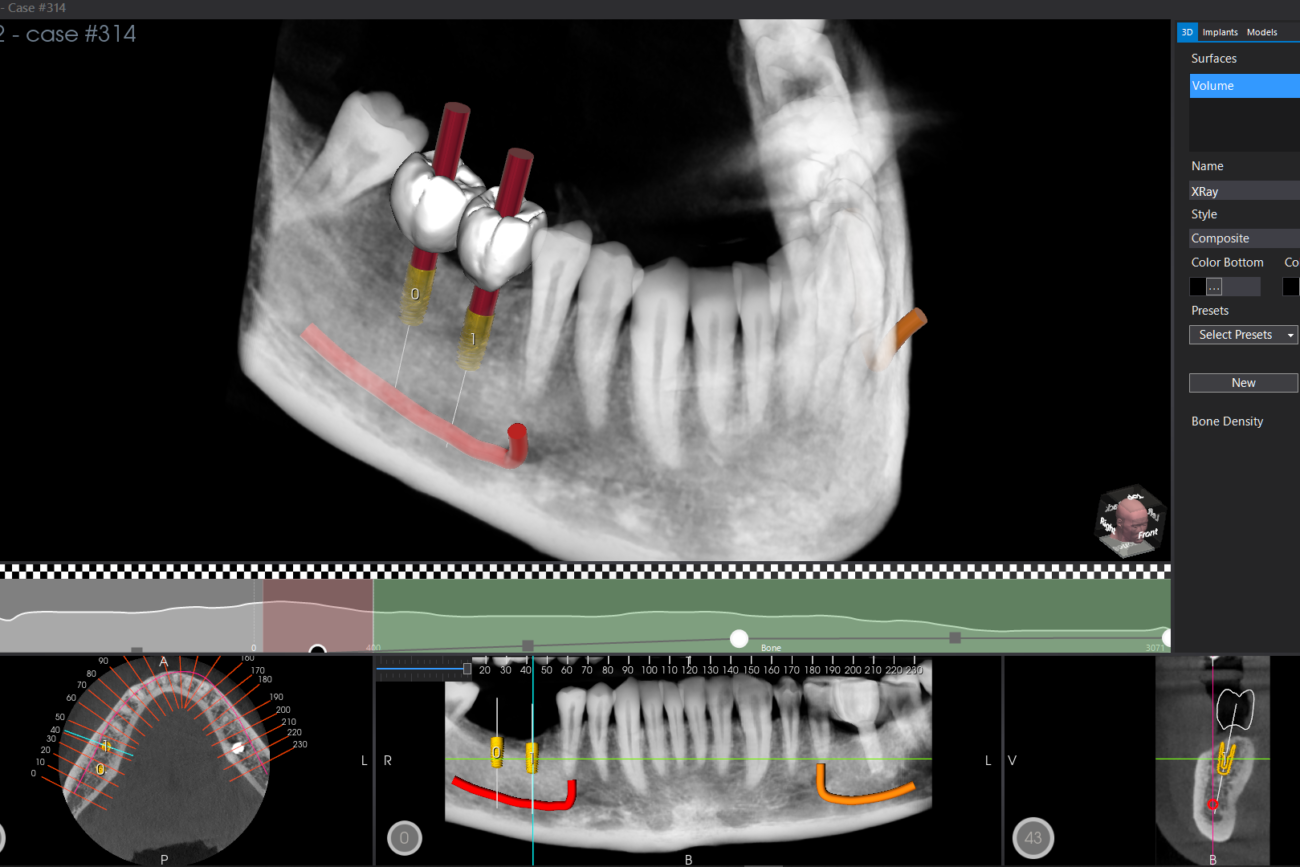
Review 2D and 3D models, inspect bone cross-sections, trace panoramic views, identify the mandibular canal and use the software’s bone-density tools.
 Matrix
 SOFTWARE BY MEDIA LAB
Explore Implant 3D for implant planning and surgical-guide design, with software information and product documents in one place.
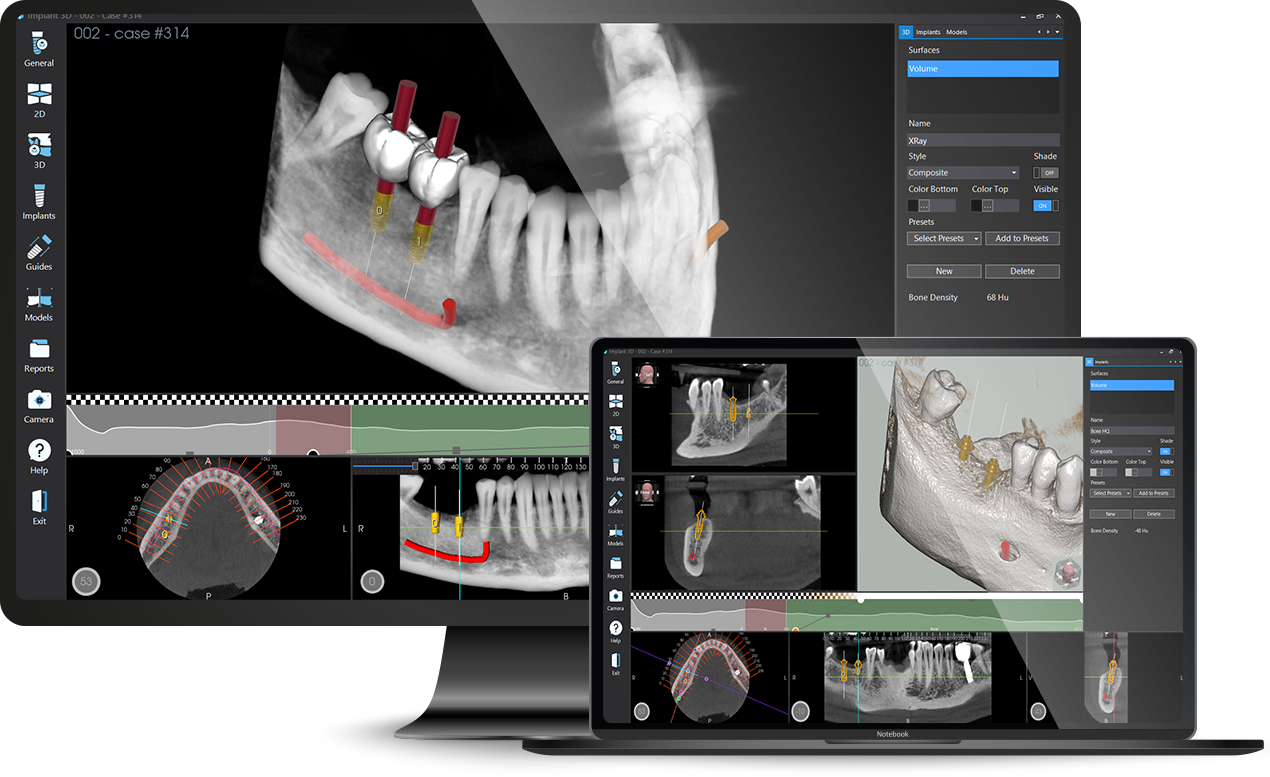 OFFICIAL MANUFACTURER SOFTWARE IMAGERY
A Windows-based platform connecting image review, implant simulation and guide creation. Check the intended software configuration and implant-library compatibility with Bio Matrix.
Review 2D and 3D models, inspect bone cross-sections, trace panoramic views, identify the mandibular canal and use the software’s bone-density tools.
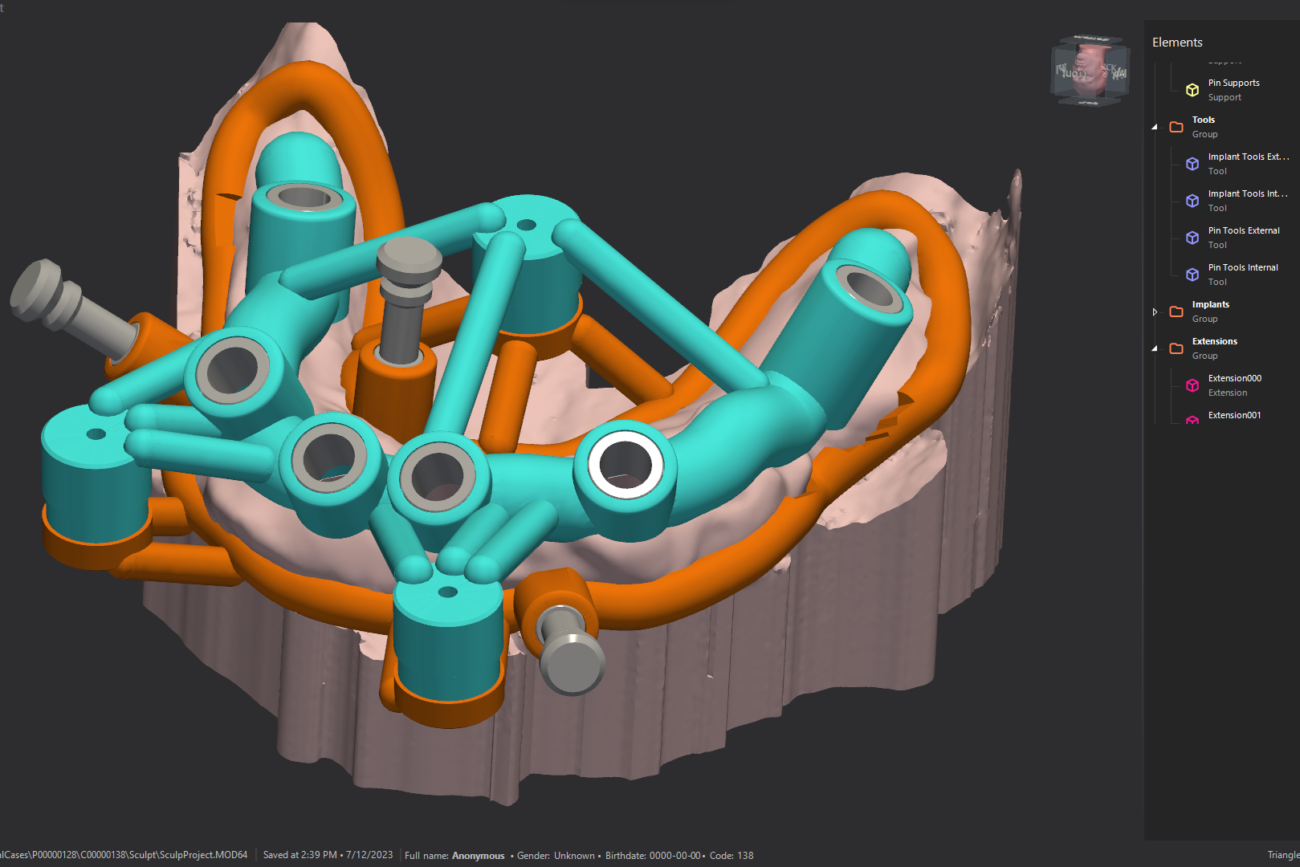
Define guide boundaries and sleeves, add labels and inspection openings, and export STL guides and drilled analogue models.
Work with implant libraries and CAD data. Confirm your specific implant system, sleeve protocol and file workflow before use.
CBCT DICOM and surface-scan data form the digital case.
Inspect anatomy and simulate implant placement.
Select the guide boundary, support and sleeve configuration.
Generate STL files for a compatible manufacturing workflow.
The manufacturer describes mucosa-supported, tooth or mucosa-tooth-supported, bone-supported and double-CT-scan workflows. The selected protocol must match the clinical situation, compatible system and applicable instructions.
Guide-design tools include identifying text and inspection openings. Drilled analogue-model export is linked to the implant system and analogue dimensions.
Software modules, implant libraries and workflows vary by version and configuration. The treating professional must review the plan and outputs. Images here illustrate manufacturer software; they are not Bio Matrix clinical cases.
AI-assisted segmentation and alignment tools for the Implant 3D workflow.
Modules and functions depend on the software version and configuration. Jarvis is not a diagnostic tool; the manufacturer specifies that diagnosis in Implant 3D is performed on DICOM images. Professional review remains essential.
Manufacturer-published specifications. Ask Bio Matrix to check your exact hardware and intended modules, particularly AI functionality.
| Component | Minimum | Recommended |
|---|---|---|
| Environment | Windows desktop or laptop | Dedicated workstation appropriate to your workload |
| Processor | Intel Core i5, 6th generation or newer | Intel Core i7, 10th generation or newer |
| Memory | 8 GB RAM | 16 GB RAM or more |
| Storage | SATA SSD, 20 GB free | NVMe SSD |
| Graphics | Discrete GPU supporting OpenGL 3.2 or higher | NVIDIA, 8 GB VRAM, RTX 3060 series or newer |
| AI functions | NVIDIA Pascal / GTX 1060 or newer, 4 GB VRAM; Windows driver 452.39 or newer | Confirm current module requirements with Bio Matrix |
| Operating system | Windows 10 or 11, 64-bit; .NET Framework 4.5 | Windows 10 Pro or 11 Pro, 64-bit; .NET Framework 4.5 |
| Display | 1280 × 1024 | 1920 × 1080 Full HD |
| Connectivity | Internet for license management | Reliable internet connection |
Media Lab provides software education covering implant design, guide creation and digital integration. Ask Bio Matrix about a demonstration, current training options and setup requirements. No software activation is performed by this website.
The full catalog also introduces a universal surgical kit and additional guided-surgery components. Check the exact implant system, sleeve and instrument compatibility with Bio Matrix; the catalog does not confirm local stock.
English · 17 pages
Planning, guides, Sculpt, Jarvis, WeShare and the surgical-kit range.
English · 5 pages
A concise introduction to planning, guide design, AI and stackable guides.
Original Media Lab publications hosted on Bio Matrix. Manufacturer branding and software screenshots are preserved. Confirm the current software release, documentation and module availability with our team.
Ask about a demonstration, computer compatibility, modules or professional learning.
This prepares a message to share with your Bio Matrix contact. It does not send a message or activate software.